

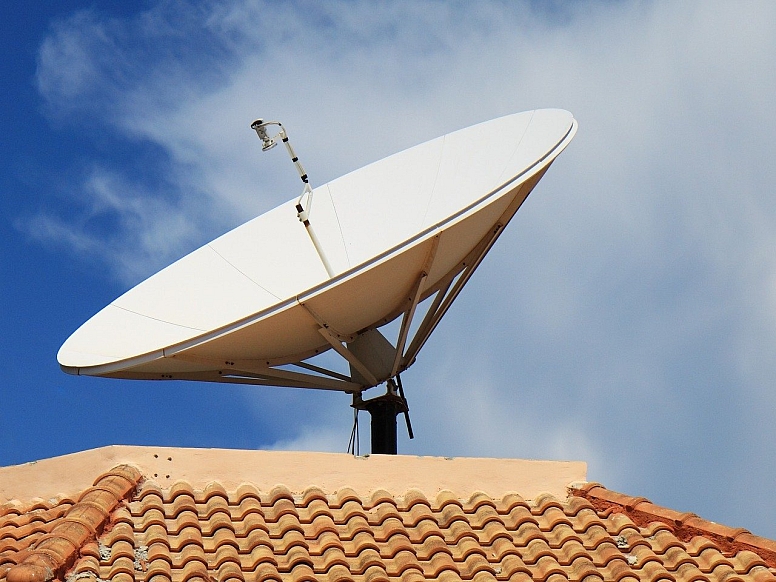
When weak links, intermittent service, obstruction, weather effects, or unstable home networking, the technology often looks more mysterious than it is. A useful troubleshooting process separates the physical setup, account or software configuration, and the limitations of the platform itself. This guide focuses on how to separate terminal placement problems from wider satellite or Wi-Fi issues. For readers who want more background alongside the hands-on checks, connectivity troubleshooting resources can provide additional technical context. The most important rule is to verify one cause at a time instead of changing everything and losing track of what actually solved the issue.
Where to Start With the Main Platforms
The provider name matters less than the dependency chain behind the product. A reliable setup may require compatible hardware, current software, correct permissions, good environmental conditions, and a secure account at the same time. The five platforms below are useful reference points for satellite internet reliability because they expose different parts of that chain. Compare them by how they fit your use case rather than by assuming the most expensive option automatically solves the underlying problem.
1. Starlink
Starlink uses a low-Earth-orbit satellite network and user terminal that needs a broad, unobstructed view of the sky. Trees, roofs, and other obstacles can interrupt service, so physical placement should be checked before changing indoor networking equipment. What matters here is not the brand name alone but how compare documented setup requirements before assuming every similar symptom has the same cause.
2. Hughesnet
Hughesnet provides satellite internet service widely used in areas with limited wired options. Because the link depends on a correctly installed outdoor dish and satellite path, users should distinguish between satellite-side issues and ordinary home Wi-Fi problems. This platform is a useful reference because compare documented setup requirements before assuming every similar symptom has the same cause.
3. Viasat
Viasat offers residential satellite internet for rural and remote locations. Users troubleshooting slow performance should consider the outdoor terminal, plan characteristics, network conditions, and local Wi-Fi rather than assuming every slowdown is caused by signal strength alone. For this issue, the practical point is that compare documented setup requirements before assuming every similar symptom has the same cause.
4. Amazon Leo
Amazon Leo, formerly Project Kuiper, is being developed as a low-Earth-orbit satellite internet system. As service and hardware availability expand, users should verify current regional availability and equipment requirements instead of relying on early announcements or prelaunch specifications. Its role in the market illustrates how compare documented setup requirements before assuming every similar symptom has the same cause.
5. Eutelsat OneWeb
Eutelsat OneWeb operates a low-Earth-orbit connectivity network focused heavily on enterprise, government, maritime, aviation, and telecom use cases. Its model differs from a typical self-installed home service, so installation and support expectations depend on the service provider and deployment. The product family is worth examining because compare documented setup requirements before assuming every similar symptom has the same cause.
How Should You Troubleshoot the Problem?
The best troubleshooting sequence moves from low-risk checks to changes that are harder to reverse. Use internet technology coverage for additional background, but treat the manufacturer’s instructions as authoritative for settings and safety. Start outside, then move inside. Confirm the terminal has the sky exposure required by the provider, cables and power are secure, and the equipment is mounted as instructed. Next test a wired or close-range connection to separate satellite-link performance from Wi-Fi coverage. Weather and network load can still affect service even when the installation is correct. If a change affects security, money, physical safety, or important data, verify it twice before committing.
Frequently Asked Questions
Can trees affect satellite internet?
Yes. Depending on the satellite system and terminal orientation, branches or buildings can block part of the required sky view and cause interruptions. Seasonal foliage can make a previously acceptable location worse.
Why is satellite internet slow even with a strong Wi-Fi signal?
Wi-Fi strength only describes the local link to the router. The satellite connection, service plan, network congestion, weather, or provider-side conditions can still limit internet performance.
Should I move a satellite terminal myself?
Only if the provider supports self-installation or relocation for that equipment. Some systems require professional alignment or specific mounting, while others include tools for checking placement.
Keep the Basics in Control
Satellite troubleshooting works best when you separate the sky link from the home network. Verify terminal placement and power first, then test local Wi-Fi and device behavior. That sequence keeps you from replacing indoor equipment when the real problem is outside, or blaming the satellite when the issue is only a weak router signal. Readers who want to continue exploring the systems behind these products can also consult network infrastructure reading. A measured process produces better decisions than reacting to one failed session, one warning message, or one impressive marketing claim.
